
Group tour management software for fixed departures
A group departure is one trip and many customers. Each party pays separately, the coach has a fixed number of seats, and someone has to produce an accurate passenger list. Toursside manages the departure as a whole and every booking in it as a normal order.
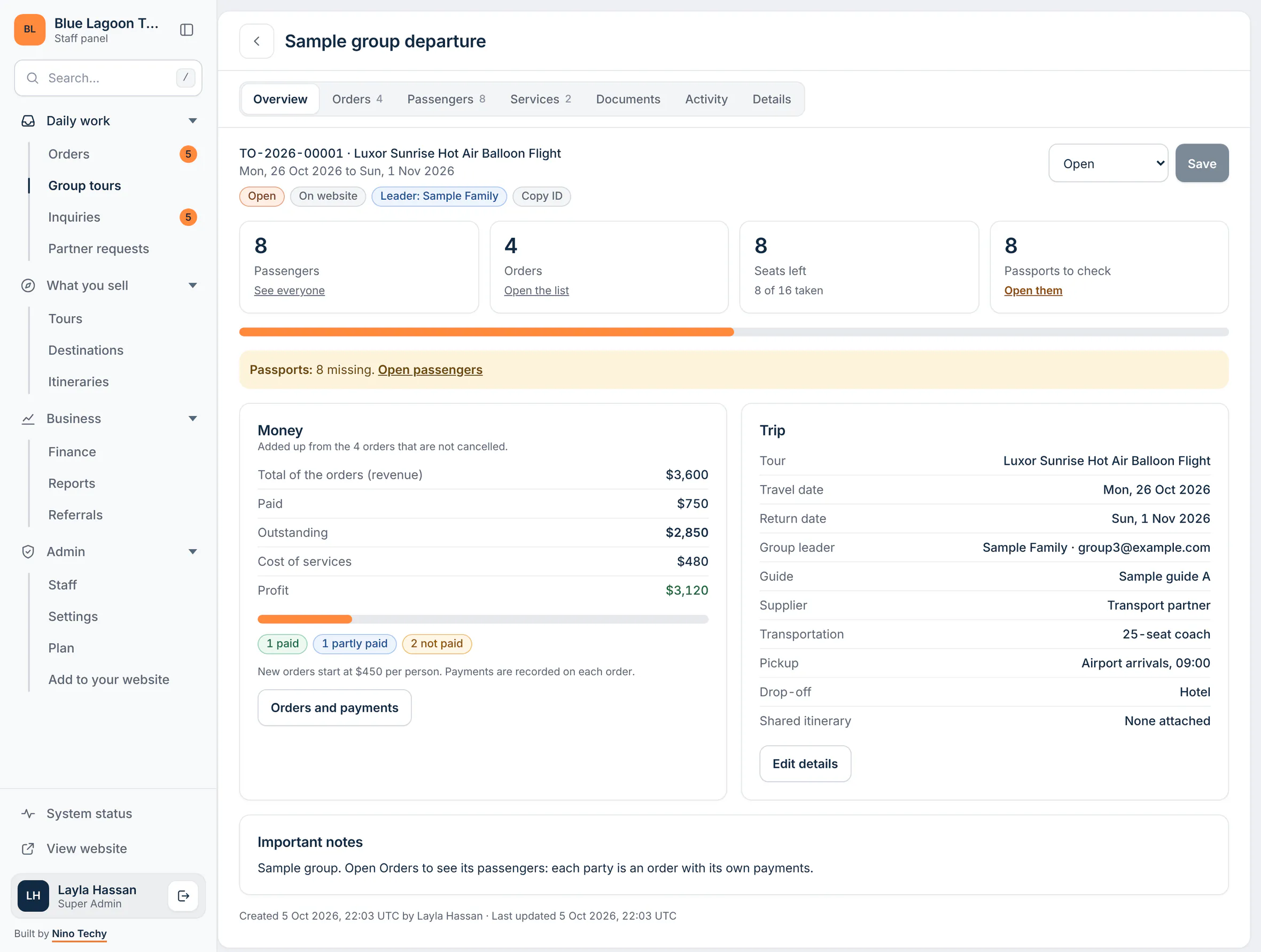
What it does
Departures with dates and capacity
Create a fixed departure for a tour with its travel dates and the number of seats. The departure shows how many are taken and how many are left.
Every party is a normal order
Each passenger or family is an order with its own price, invoice and payments, so one late payer never blocks the rest of the group.
Overbooking refused
When the seats are gone, the system will not accept another passenger on that departure.
Add passengers by paste or CSV
Paste a list of names or upload a CSV instead of typing fifty passengers one by one.
Passport checks
Duplicate passport numbers are flagged, and a passport that has expired or is close to expiring raises a warning.
Passenger manifest PDF
One list of everyone travelling, with the trip details at the top. Each version you generate is kept.
Group costs shared across orders, so profit is right
The big costs of a group tour are not per person. The guide, the coach, the hotel block and the entrance tickets are paid once for everyone. Record them once on the departure and Toursside shares them across the group's orders, so the profit on each order and on the departure as a whole reflects what the trip really cost.
One itinerary and one manifest for the whole group
Attach a single shared itinerary to the departure rather than copying it to every booking. When the passenger list is ready, download the passenger manifest as a PDF in your own logo and colours for the guide, the driver or the hotel. If the list changes, generate it again; earlier versions stay on record.
Sell the departure on your booking website
A departure can be published on your booking website with its dates, price and the number of seats left, so customers see the same availability your team does.
Who it is for
- Tour operators running scheduled or seasonal departures
- Travel agencies selling seats on coach tours and group packages
- Organisers of school, company and community group trips
- DMCs that need a passenger manifest for guides, drivers and hotels
How it works
- Create the departure: tour, travel dates, capacity and price per person.
- Add each party as an order, or paste or upload the passenger list.
- Record the group's shared costs and take payments on each order.
- Download the passenger manifest and send the shared itinerary before the trip.
Questions
Which plan includes group tours?
Group tours and passenger manifests are part of the Growth plan and above.
Does each passenger get their own invoice?
Each order in the group has its own invoice and payments. An order can be one passenger or a party travelling together, such as a family.
What happens when a departure is full?
Seats left are counted from the group's orders. Once the capacity is reached, adding another passenger is refused rather than silently overbooking.
Can I import passengers from a spreadsheet?
Yes. Paste the list or upload it as a CSV file. Duplicate passport numbers are flagged as you add them.
Is the manifest sent to airlines or border authorities?
No. The passenger manifest is a PDF for your own team and suppliers, such as the guide, the driver or the hotel. Toursside does not submit passenger data to any authority or airline.
Related parts of Toursside
More from Toursside
- Travel CRM
- Invoicing and payments
- DMC and partner requests
- Flight ticket management
- Hotel booking management
- Transfers and transportation
- Tour operator software for the Middle East
- Tour operator software for Egypt
- Tour operator software for the UAE
- Tour operator software for Saudi Arabia
- Plans and pricing
- Start a free demo workspace
See it with your own kind of trips.
A demo workspace is ready in seconds. Works on a computer and a phone.