
Flight ticket management for travel agents
Selling a ticket takes minutes. Finding it again three weeks later, knowing whether it was paid and what you earned on it, is where the time goes. Toursside gives every flight ticket its own order, so the PNR, the ticket number and the money are always in the same place.
What it does
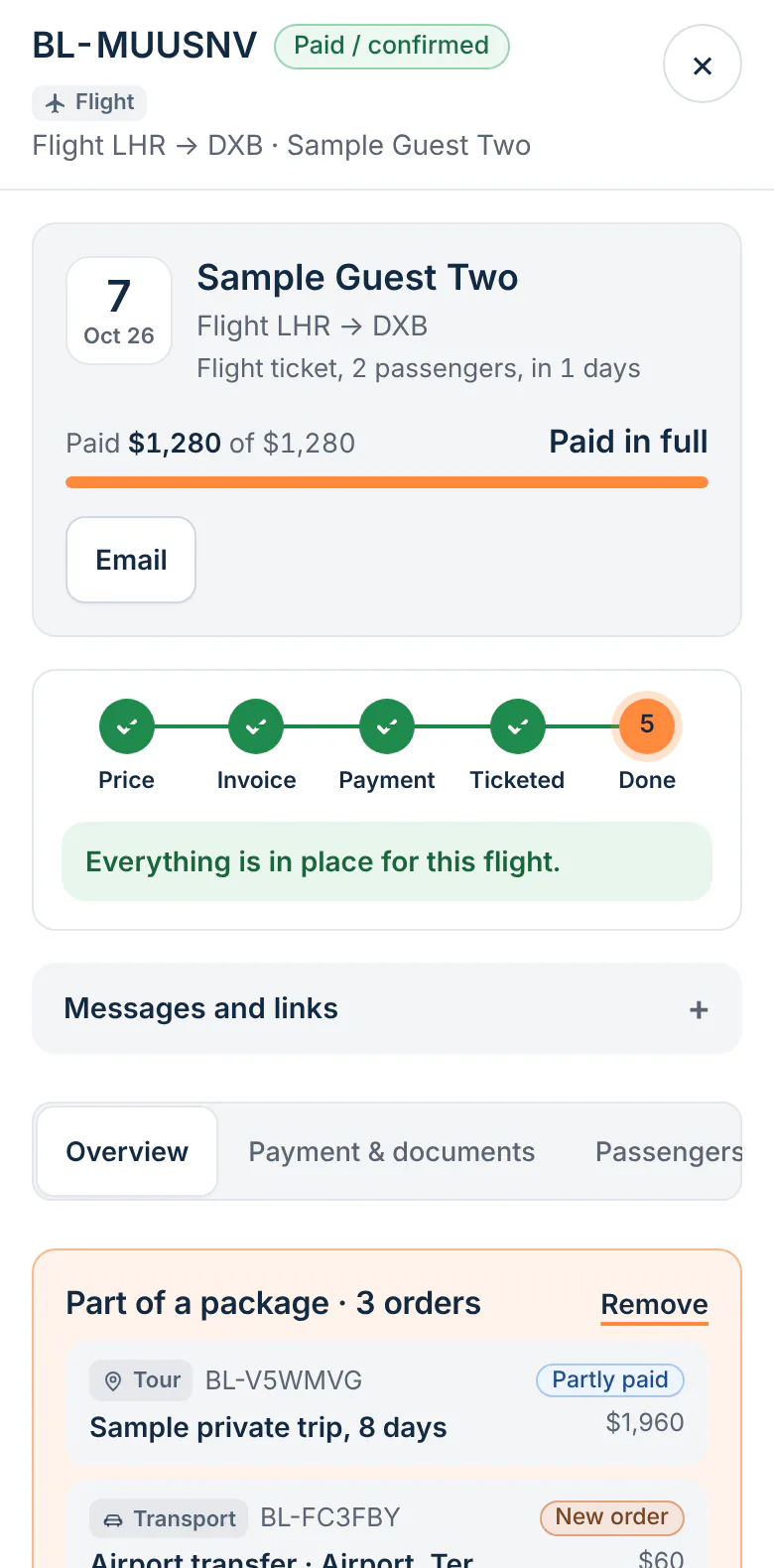
A flight order with the right fields
Airline, flight number, route, departure and return dates, PNR or booking reference and ticket numbers.
A clear Ticketed step
The order moves through price, invoice and payment to Ticketed, so anyone on the team can see which tickets are still to be issued.
Search by PNR or ticket number
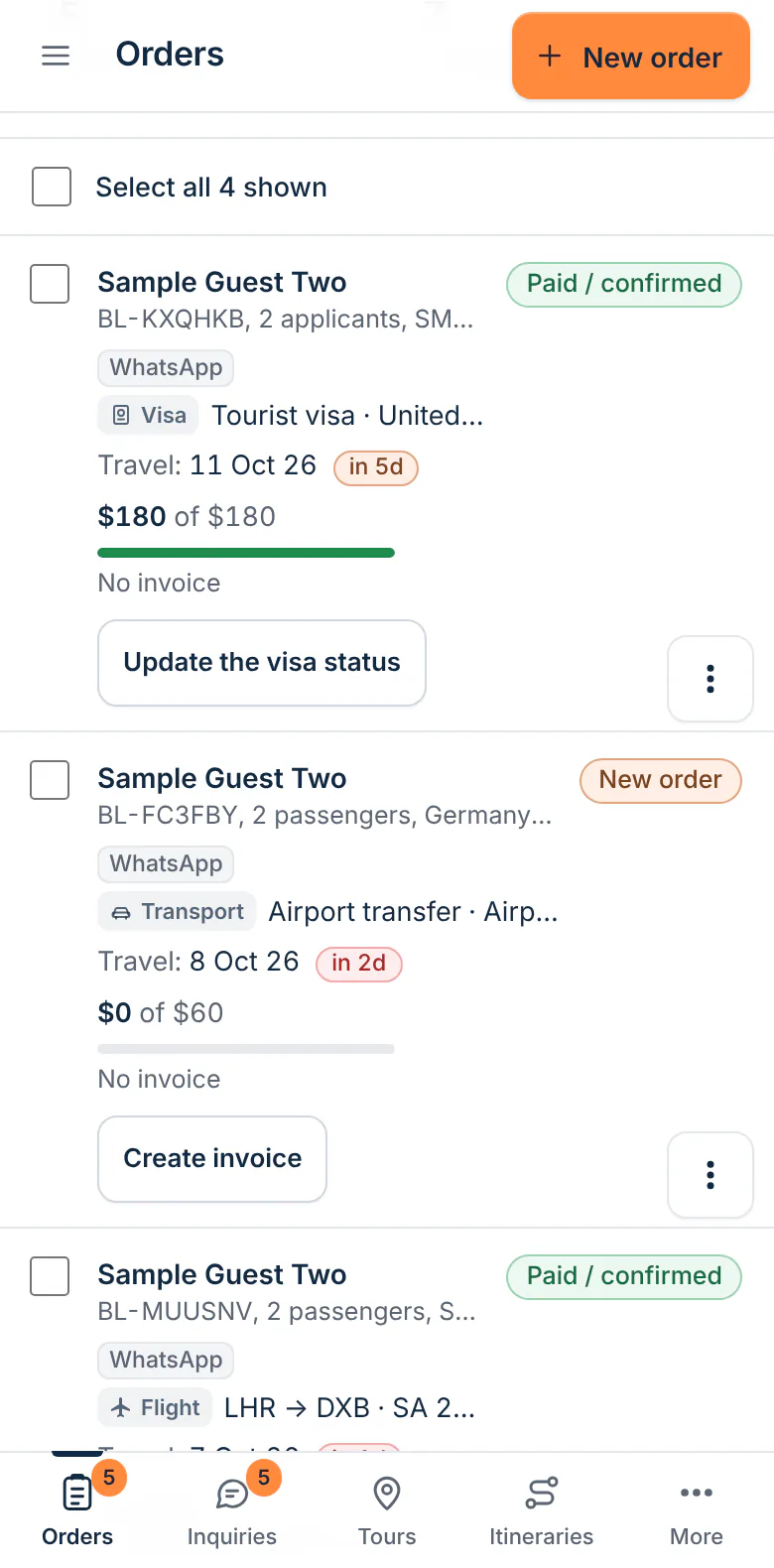
Type a PNR or a ticket number into the orders search and go straight to the booking.
Price and cost side by side
Record what the ticket cost you and what you charged, and the order shows what you made.
Passengers on the order
The travellers on the ticket are listed on the order with the customer who paid.
Part of a bigger trip
Link the ticket to the customer's tour, hotel or transfer as a package with one combined balance.
For the tickets you book, wherever you book them
You keep issuing tickets the way you do today, through your consolidator, an airline website or your own reservation system. Once it is booked, you record it in Toursside: the route and dates, the reference numbers and the name of the supplier, typed in as text. From then on the ticket is tracked like every other sale in the agency.
What it does not do
Toursside does not search fares, hold seats or issue tickets, and it has no connection to airlines or a GDS. It is the record of the sale and everything around it: who bought it, what they owe, what has been sent to them and who on your team last changed it.
Who it is for
- Travel agents who sell tickets through a consolidator or airline sites
- Agencies that add flights to their own tours and packages
- Teams that currently track PNRs in a spreadsheet or a chat group
- Owners who want to see unpaid tickets without asking
How it works
- Book the flight with your supplier as usual.
- Create a Flight ticket order and enter the route, dates, airline, PNR and passengers.
- Send the invoice, record the payment and add the ticket number.
- Mark the order Ticketed. It stays searchable by PNR, ticket number, name or booking ID.
Questions
Can I book or issue flights inside Toursside?
No. Toursside is not a flight booking engine and is not connected to airlines or a GDS. You book with your supplier and record the ticket here to manage it.
Can I search for a booking by PNR?
Yes. The orders search finds flight orders by PNR or booking reference and by ticket number, as well as by customer name and booking ID.
Can a flight be part of a package with a tour?
Yes. Link the flight order to the customer's other orders. The package shows a combined total, paid amount and balance, and each order keeps its own invoice.
Which plan includes flight ticket orders?
Every plan, including Starter.
Related parts of Toursside
More from Toursside
- Tour booking software
- Itinerary builder
- DMC and partner requests
- Booking on your website
- Group tour management
- Document and invoice designs
- Tour operator software for the Middle East
- Tour operator software for Egypt
- Tour operator software for the UAE
- Tour operator software for Saudi Arabia
- Plans and pricing
- Start a free demo workspace
See it with your own kind of trips.
A demo workspace is ready in seconds. Works on a computer and a phone.